The Magic of the Beep: Understanding Barcode Scanning Nutrition
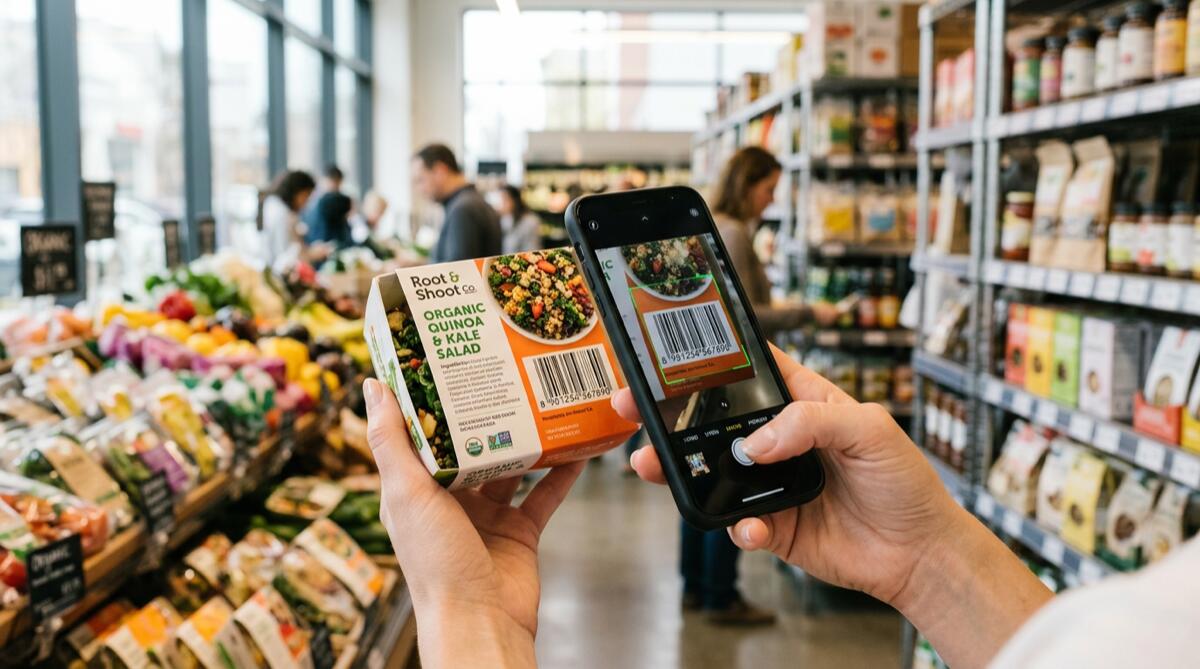
We've all been there: you're standing in the kitchen, holding a protein bar or a bag of chips, dreading the tedious process of manually typing in calories, proteins, fats, and carbs. Then, you simply point your phone's camera at the package, and in a fraction of a second, all the nutritional data magically populates your daily log. This seamless experience is the power of barcode scanning nutrition technology.
But how does this seemingly magical process actually work? Behind that simple scan lies a complex ecosystem of global product databases, optical recognition technology, and artificial intelligence. In this comprehensive guide, we will explore the mechanics of barcode scanning, why it has revolutionized dietary tracking, and how you can use it to achieve your health goals faster.
The Evolution of Calorie Tracking
To truly appreciate modern technology, we have to look back at how calorie tracking used to be done. Decades ago, tracking your diet meant carrying around a physical pocketbook of nutritional values and a calculator. You had to weigh your food, look up the generic values, and do the math yourself. If you want to understand the foundational principles that haven't changed since those days, check out our guide on How to Count Calories: The Complete Beginner's Guide.
With the advent of smartphones, digital food diaries emerged. However, early apps still required manual entry. The real game-changer was the integration of the smartphone camera with global barcode databases. Suddenly, the friction of logging packaged foods vanished. Today, advanced tools like MacroLog combine barcode scanning with AI photo recognition and voice logging to make tracking as effortless as breathing.
How Barcode Scanning for Nutrition Actually Works
When you use an app for barcode scanning nutrition, a fascinating sequence of events occurs in mere milliseconds. Let's break down the technical journey from the physical package to your daily macro log.
1. The Anatomy of a Barcode
Most packaged foods feature a UPC (Universal Product Code) in North America or an EAN (European Article Number) internationally. These codes consist of a series of black bars and white spaces of varying widths, representing a unique 12 or 13-digit number. This number doesn't actually contain the nutritional information; it acts as a unique license plate for that specific product.
2. Optical Recognition and Decoding
When you point your camera at the barcode, the app uses computer vision to detect the contrast between the black bars and white spaces. Software algorithms instantly translate this visual pattern back into the 12 or 13-digit numeric code. Modern smartphone cameras are so advanced they can read these codes at an angle, in low light, or even if the package is slightly crumpled.
3. The Database Query
Once the app has the numeric code, it sends a rapid API request to a massive, cloud-based nutritional database. These databases contain millions of verified food items. The database searches for the exact match to that "license plate."
4. Data Retrieval and Parsing
When the match is found, the database sends a data payload back to your phone. This payload includes the product name, brand, serving size, total calories, macronutrients, and often micronutrients like sodium, fiber, and vitamins. The app then parses this data and displays it on your screen, ready to be added to your daily diary.
Why Barcode Scanning is a Game-Changer for Your Diet
Understanding the science of energy balance is crucial. Accuracy is key to seeing results. Here is why barcode scanning is essential for modern dieters:
Unmatched Accuracy
Manual entry is prone to human error. You might accidentally type 400 calories instead of 100, or mix up the protein and carb fields. Barcode scanning pulls verified data directly from the manufacturer. If you've been struggling with weight loss plateaus, inaccurate logging might be the culprit. Learn more in our post: Why Your Calorie Count Is Wrong (And How to Fix It).
Speed and Convenience
The number one reason people quit tracking their food is that it takes too much time. Barcode scanning reduces the logging process from minutes to seconds. This convenience makes it significantly easier to maintain the habit long-term, which is essential whether you are in a or eating at maintenance.
Better Macro Management
Hitting your daily calorie goal is one thing, but optimizing your macronutrients is another. Scanning barcodes ensures you get the exact breakdown of proteins, fats, and carbohydrates for every packaged food you consume. If you need help understanding these targets, read and our specific guide on How Much Fat Should You Eat Per Day?.
The Role of AI in Modern Nutrition Tracking
While traditional barcode scanning is incredibly useful, the future of nutrition tracking is driven by Artificial Intelligence. This is where MacroLog truly shines. While basic apps only offer barcode scanning, MacroLog integrates it into a holistic AI ecosystem.
- Photo Recognition: What if your food doesn't have a barcode? Say, a home-cooked meal or a plate at a restaurant? MacroLog's AI can analyze a photo of your meal and estimate the calories and macros instantly.
- Voice Logging: You can simply tell the app, "I ate two scrambled eggs and a slice of whole wheat toast," and the natural language processing will log it accurately.
- Smart Barcode Scanning: MacroLog's scanner not only pulls the data but learns your preferred serving sizes and frequently scanned items, making the process even faster over time.
Common Pitfalls of Barcode Scanning (And How to Avoid Them)
Despite its brilliance, barcode scanning nutrition isn't completely foolproof. Being aware of potential pitfalls will help you maintain an accurate log.
1. Serving Size Confusion
The most common mistake dieters make is scanning a package and assuming the data populated represents the entire package. Often, the barcode links to a single serving. For example, a bottle of juice might contain 2.5 servings. Always double-check the serving size populated by the app against what you actually consumed.
2. Regional Variations and Reformulations
Food manufacturers frequently update their recipes. A protein bar might have its sugar reduced, altering its macros, but the barcode might remain the same. Additionally, the same product might have different nutritional profiles in different countries. If a scanned item looks suspiciously high or low in calories, quickly verify it against the physical label.
3. The "Healthy Food" Illusion
Just because a food has a barcode and can be scanned doesn't mean it should make up the bulk of your diet. Whole foods—like fruits, vegetables, and fresh meats—often lack barcodes but are crucial for a healthy lifestyle. Don't let the convenience of scanning push you toward a diet consisting solely of highly processed, packaged foods. Balance is key, as discussed in Calorie Counting vs Intuitive Eating: Which Is Right for You?.
Integrating Barcode Scanning into Your Daily Routine
To get the most out of barcode scanning nutrition, you need a solid strategy. Before you start scanning everything in your pantry, you need to know your baseline. Start by calculating your Total Daily Energy Expenditure. You should also understand the difference between your resting metabolic rate and total expenditure.
Once you have your targets—perhaps calculated using the Mifflin-St Jeor Equation or by reading —you can use scanning to hit those numbers precisely.
Here are some practical tips:
- Scan as you cook: Keep your phone on the kitchen counter. Scan the cooking oil, the pasta, and the sauce as you add them to the pan.
- Pre-log your snacks: If you know you're taking a specific protein bar to work, scan it in the morning to reserve those calories in your daily budget.
- Don't obsess: Tracking should be a tool, not a source of anxiety.
The Future of Food Logging
As databases grow and AI becomes more sophisticated, the friction of tracking nutrition will continue to approach zero. We are moving toward a world where you won't even need to search for a barcode; augmented reality might eventually recognize the brand and package just by looking at it. But until then, the combination of barcode scanning, voice logging, and photo recognition offers the most powerful toolkit ever available for personal health.
You might wonder, How Long Should You Track Calories? The truth is, with tools this efficient, tracking becomes less of a temporary diet phase and more of a sustainable, long-term habit for maintaining nutritional awareness.
Start Scanning Smarter Today
Understanding how barcode scanning for nutrition works empowers you to use these tools more effectively. It bridges the gap between the complex nutritional information hidden on food labels and your personal health goals. By eliminating the guesswork and the tedious manual entry, you are freed up to focus on what really matters: making healthier choices and enjoying your food.
If you are ready to experience the ultimate convenience in calorie and macro tracking, it's time to upgrade your toolkit. Stop wasting time typing and start scanning, speaking, and snapping your way to better health.
Ready to transform your diet with the power of AI and instant barcode scanning? Download MacroLog today and take the guesswork out of your nutrition!

